
Passkey cryptography is usually the easiest part of a production rollout. Account recovery, credential inventory, device changes, and fallback policy are where a secure login system quietly turns back into a phishable one.
Mobile passkeys: discoverable FIDO credentials let an app authenticate a user with a public-key challenge. The private key stays with an authenticator and the server stores a public key. Face ID, a fingerprint, or a device PIN unlocks the credential locally; biometrics aren’t sent to the service.
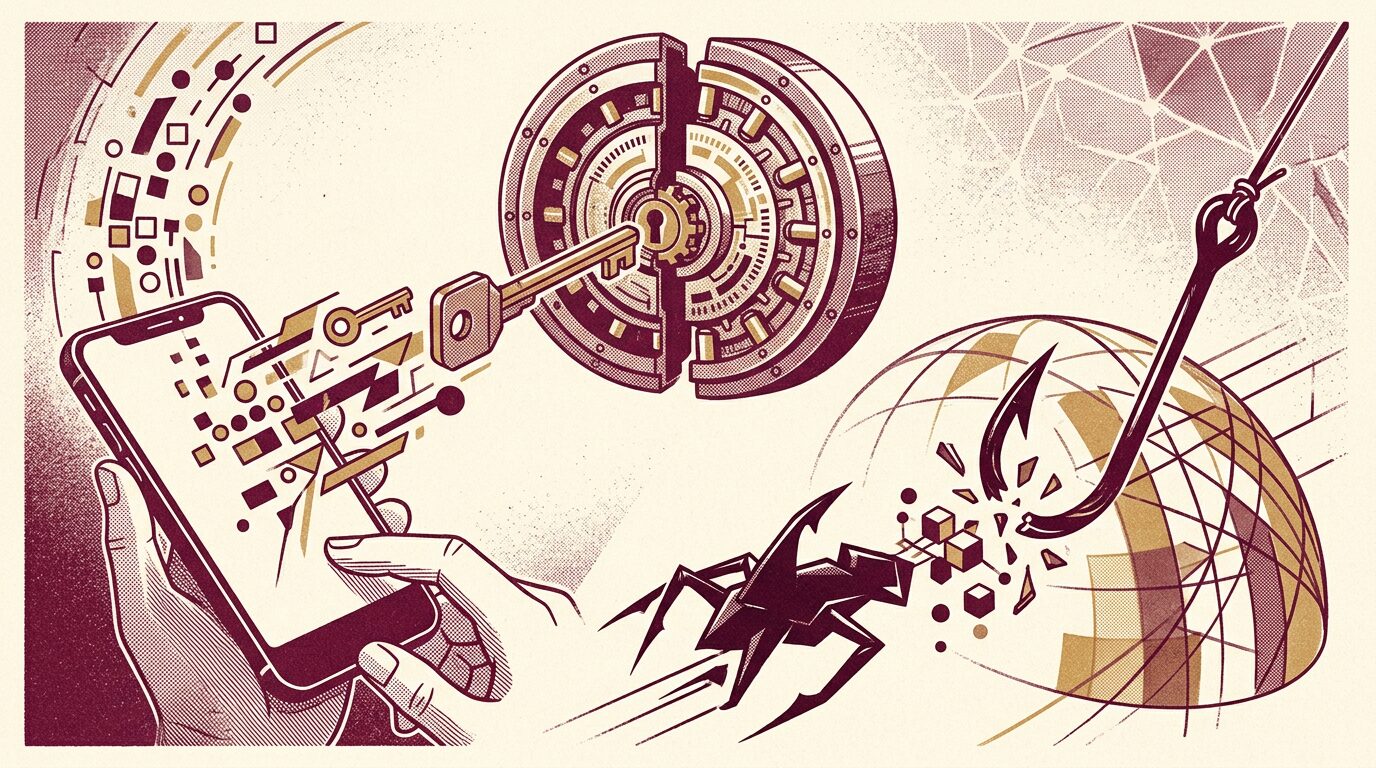
That design blocks credential phishing because the signature is bound to the relying party identifier. Yet it doesn’t secure a weak email reset, stolen session, compromised sync account, or careless support workflow. A production design must treat registration, authentication, recovery, and credential removal as one threat model.
This blueprint adds three artifacts many implementation tutorials omit: a recovery-equivalence rule, a credential lifecycle state machine, and a failure matrix for new-device day. It also covers native association files, WebAuthn verification, synced versus device-bound credentials, and rollout telemetry. The intended reader is a mobile, backend, identity, or security engineer responsible for shipping the whole journey.
Model the Whole Authentication System
A passkey deployment is secure only when every path to an authenticated session meets the required assurance. The front door can resist phishing while account recovery leaves a side window open.
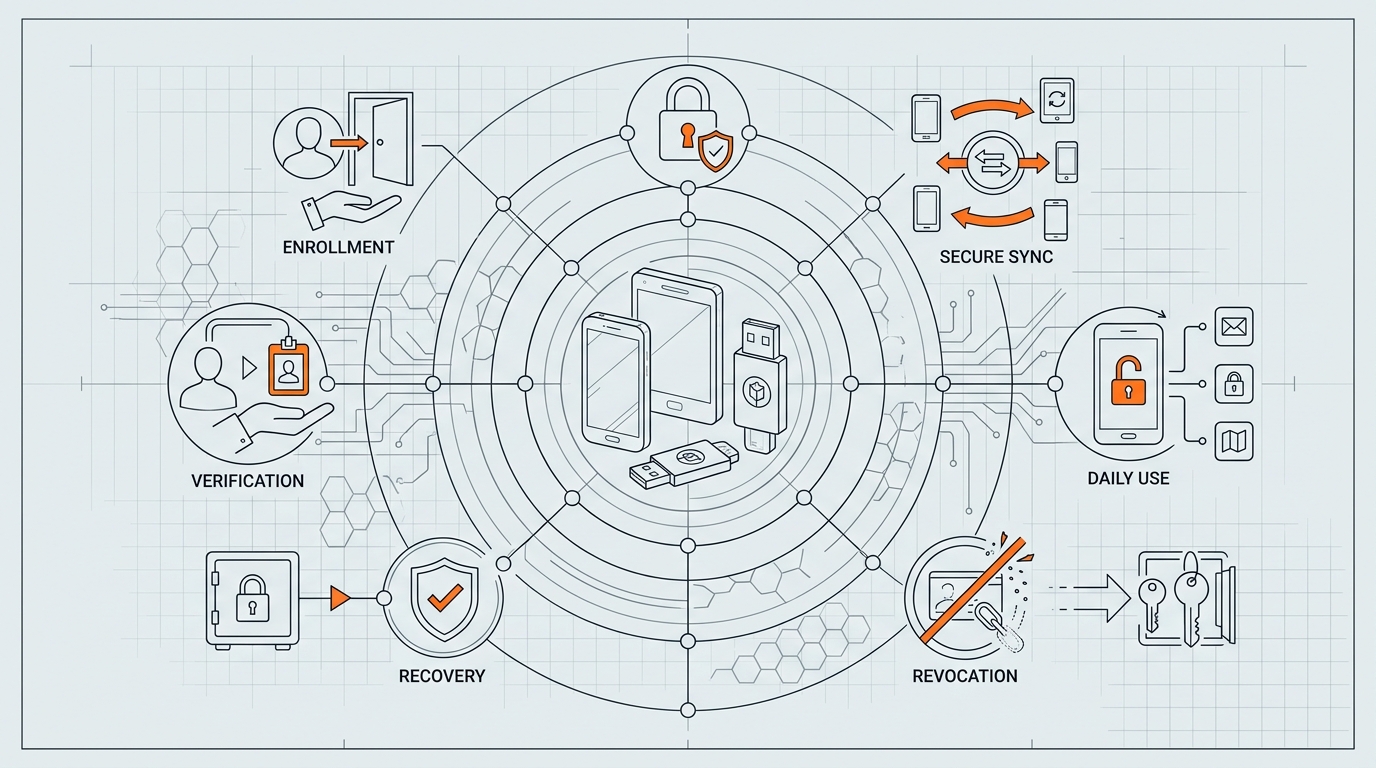
The system has five connected surfaces: enrollment, assertion, credential management, recovery, and session issuance. Draw them before coding. Include customer support, identity verification, device transfer, suspicious-login controls, and privileged actions such as changing payout details.
Use a recovery-equivalence rule: a recovery path mustn’t grant more authority with less evidence than the authentication method it replaces. If an email link can remove all mobile passkeys and enroll a new one, email is the real root credential. That may be acceptable for a low-risk forum, but it isn’t an honest phishing-resistant design for a financial account.
| Path | Evidence | Allowed result | Risk |
|---|---|---|---|
| Passkey sign-in | Valid origin-bound signature | Session | Low phishing risk |
| Email recovery | Mailbox access | Restricted recovery session | Mailbox compromise |
| Support recovery | Documented verification | Delayed restoration | Social engineering |
For each path, specify rate limits, notifications, cooling-off periods, and which sensitive actions remain blocked. Recovery is a product feature and a security boundary, not a link added after launch.
Map authority, not just authentication factors
List every actor that can alter authentication state: the user, identity provider, customer-support agent, organization administrator, fraud analyst, and automated risk system. Then record exactly which actor can add a credential, revoke one, invalidate sessions, change recovery channels, or bypass a waiting period. Hidden administrative authority is part of the attack surface.
Consider a support agent handling a lost-phone request. If the console can remove every credential after answering knowledge-based questions, passkeys haven’t removed phishing risk; they’ve moved it to the call center. Require structured evidence, approval for high-value accounts, tamper-evident audit events, and a notification that reaches an established channel before the change becomes final.
Session authority matters too. A valid passkey ceremony may produce a general session, a restricted recovery session, or a short-lived step-up grant. Keep these token types distinct in backend authorization. A recovery token shouldn’t call the API that changes payout details, exports private data, or creates another administrator. Scopes and expiry enforce that distinction even if a client UI has a bug.
Understand What the Server Actually Verifies
WebAuthn authentication proves that an authenticator holding a credential private key signed a fresh server challenge for the expected relying party. It doesn’t transmit the private key or a biometric template.
During registration, the server creates random challenge bytes, a stable user handle, relying-party data, and acceptable algorithms. The authenticator returns credential data plus attestation information. During sign-in, it returns authenticator data, client data, credential identifier, and a signature. The backend must verify the challenge, type, origin, RP ID hash, signature, and required user-presence or user-verification flags.
import { randomBytes } from "node:crypto";
import type { Request, Response } from "express";
import "express-session"; // augments Express.Request with `session`

interface ChallengeStore {
  set(sessionId: string, value: { challenge: string; expiresAt: number }): Promise<void>;
  take(sessionId: string): Promise<{ challenge: string; expiresAt: number } | undefined>;
}

// Single-process store, shown for clarity. In production back this with Redis or the
// session store itself: a Map is per-instance, so a challenge issued by one pod cannot
// be consumed by another, and every deploy silently invalidates in-flight logins.
const pending: ChallengeStore = (() => {
  const m = new Map<string, { challenge: string; expiresAt: number }>();
  return {
    async set(id, v) { m.set(id, v); },
    async take(id) { const v = m.get(id); m.delete(id); return v; },
  };
})();

export async function beginAuthentication(req: Request, res: Response): Promise<void> {
  const challenge = randomBytes(32).toString("base64url");
  await pending.set(req.session.id, {
    challenge,
    expiresAt: Date.now() + 5 * 60_000,
  });
  res.json({
    challenge,
    rpId: "example.com",
    userVerification: "required",
  });
}

export async function consumeChallenge(sessionId: string, received: string): Promise<void> {
  // take() reads and deletes atomically: a challenge is single-use, including failed attempts.
  const item = await pending.take(sessionId);
  if (!item || item.expiresAt < Date.now() || item.challenge !== received) {
    throw new Error("Invalid or expired WebAuthn challenge");
  }
}
Use a maintained WebAuthn server library for binary parsing and signature verification. The snippet shows challenge discipline, not a replacement verifier. Challenges need cryptographic randomness, short expiration, session binding, and one-time consumption.
Verify policy after cryptography
A valid signature isn’t the final decision. Resolve the credential to the expected account, reject revoked records, apply user-verification policy, and decide how to treat signature-counter anomalies. Synced authenticators can make counters less useful than older device-bound assumptions suggest, so don’t lock an account solely because a counter fails to increase. Record the signal and combine it with credential and session context.
Registration needs duplicate and account-binding controls. Don’t let an unauthenticated caller choose another user’s stable handle. Protect authenticated enrollment against cross-site request forgery where browser surfaces exist, and require recent authentication before adding a credential to a sensitive account. Store the credential only after the complete response verifies against the server-issued challenge and expected ceremony type.
Error messages should separate user action from security detail. The client can say that sign-in couldn’t be completed and offer another credential. Server logs can distinguish origin mismatch, challenge replay, unknown credential, malformed CBOR, invalid signature, or policy rejection. Returning those distinctions to an attacker creates an enumeration and probing oracle.
Read the WebAuthn specification and FIDO specifications when behavior matters. Convenience SDKs reduce encoding mistakes, but the relying party still owns policy.
Bind Native Apps to the Web Origin
Native passkeys still rely on a web domain as the relying-party identity. iOS and Android require trusted associations between the application and that domain before the app can create or request credentials for it.
On Apple platforms, configure the associated-domains entitlement with a webcredentials entry and serve an Apple App Site Association file from the domain. Android uses Digital Asset Links and the application’s signing certificate fingerprint. Production, staging, and debug signatures need deliberate separation.
[
  {
    "relation": ["delegate_permission/common.get_login_creds"],
    "target": {
      "namespace": "android_app",
      "package_name": "com.example.mobile",
      "sha256_cert_fingerprints": [
        "AA:BB:CC:DD:EE:FF:00:11:22:33:44:55:66:77:88:99:AA:BB:CC:DD:EE:FF:00:11:22:33:44:55:66:77:88:99"
      ]
    }
  }
]
Association failures are frustrating because operating systems cache files and often surface a generic credential error. Test the exact production hostname, content type, redirects, certificate chain, app identifier, and release signing key. Don’t point production credentials at a temporary preview domain.
Treat environments as separate security domains
Production and staging should use different relying-party identifiers unless the organization has a deliberate reason to share credentials. A staging build that can request production credentials expands the trusted application set and makes test infrastructure part of the production boundary. Use separate bundle identifiers, package names, signing identities, association entries, and backend credential stores.
Release signing creates a common Android surprise. A local build may use a debug certificate, continuous integration may use an upload key, and the installed store build may be signed through Play App Signing. The asset-links file needs the fingerprints that correspond to the builds users actually run. Verify them from the distributed artifact rather than copying a developer-machine value into production.
On Apple platforms, content delivery and caching can delay association changes. Avoid redirects and return the expected JSON content directly over HTTPS. Include association verification in release readiness, then test a clean installation on a device that hasn’t cached an older response. Reinstalling repeatedly on one development phone isn’t a reliable production simulation.
Multi-tenant domains add another decision. A credential belongs to an RP ID, not an arbitrary customer label. Sharing one RP ID across tenants can simplify account discovery but requires strict tenant binding after credential resolution. Separate customer domains may need distinct credentials and association handling. Decide from the identity model before customers create credentials because RP identity isn’t a cosmetic field that can be renamed later.
Follow Apple’s passkey documentation and Android’s Credential Manager documentation. Automate checks that fetch association files and compare identifiers against signed build metadata.
Design a Credential Lifecycle, Not a Boolean Flag
An account can hold several credentials with different providers, backup states, creation times, and last-used dates. A single hasPasskey boolean can’t represent that reality.
Store credential ID, public key, user handle, signature counter where relevant, transports, creation timestamp, last-used timestamp, and a user-facing label. Preserve backup eligibility and backup state signals for risk analysis, but don’t claim they reveal the current physical device.
CREATE TABLE passkey_credentials (
  credential_id BYTEA PRIMARY KEY,
  user_id UUID NOT NULL,
  public_key BYTEA NOT NULL,
  user_handle BYTEA NOT NULL,
  sign_count BIGINT NOT NULL DEFAULT 0,
  backup_eligible BOOLEAN NOT NULL,
  backup_state BOOLEAN NOT NULL,
  label TEXT NOT NULL,
  created_at TIMESTAMPTZ NOT NULL DEFAULT now(),
  last_used_at TIMESTAMPTZ,
  revoked_at TIMESTAMPTZ
);
CREATE INDEX passkey_user_active_idx
  ON passkey_credentials(user_id) WHERE revoked_at IS NULL;
Let users inspect and revoke credentials. Show recognizable creation context without pretending that a synced credential equals one device. Notify users when a credential is added or removed. Require recent strong authentication for destructive credential changes.
Registration has states too: offered, prompt started, created on authenticator, verified by server, persisted, and confirmed to the app. Network loss between creation and persistence can leave an orphaned credential. Make registration retryable and explain the failure instead of assuming the user canceled.
Separate Synced and Device-Bound Assurance
Synced mobile passkeys optimize recovery and everyday usability, while device-bound credentials optimize control over where a private key can exist. Neither category is universally stronger because the threat model differs.
Apple, Google, and credential-manager ecosystems can synchronize passkeys under their account security models. This helps a user replace a phone. It also makes the sync account part of the trust chain. Enterprise policy may disable sync, and moving between ecosystems can still require cross-device authentication or fresh enrollment.
Device-bound security keys and managed authenticators avoid cloud synchronization but create recovery work. They fit workforce or high-assurance contexts where organizations can issue spares, inventory authenticators, and run controlled recovery. For a consumer app, forcing one device-bound credential can create damaging lockouts.
Define assurance tiers. A synced passkey may be enough for ordinary access. A device-bound enterprise credential may be required for administration. A recovered account can enter a restricted tier until a cooling-off period ends. Policy should follow evidence instead of treating every credential ceremony as identical.
Make New-Device Day a First-Class Journey
A user replacing or losing a phone isn’t an edge case. It’s the moment that tests whether mobile passkeys improved authentication or merely moved support cost.
Test four conditions: same ecosystem with sync enabled, same ecosystem with sync disabled, cross-ecosystem migration, and loss of every authenticator. Also test managed devices, unavailable Bluetooth, blocked cross-device channels, expired sessions, and an old phone that remains signed in.
| Condition | Preferred path | Failure response |
|---|---|---|
| Synced credential appears | Authenticate and label new context | Offer another credential provider |
| Old device available | Authenticate, then enroll new passkey | Use cross-device sign-in |
| No authenticator available | Risk-based recovery | Restricted session and delay |
After successful recovery, don’t silently delete old credentials. Notify all established channels, expose the credential inventory, and delay high-impact changes where the risk warrants it. An attacker shouldn’t turn a weak recovery event into immediate payout control.
Keep Fallbacks Explicit and Measurable
A fallback should preserve access without silently downgrading every account to the weakest factor. Offer it intentionally, label its assurance, and measure why users reached it.
For unsupported devices, a password plus strong second factor may remain necessary during migration. For established accounts, another registered passkey, a hardware key, an authenticated old device, or carefully controlled recovery can work. SMS alone shouldn’t remove strong credentials for a high-value account.
Record categorized outcomes: no credential available, user cancellation, platform interruption, association failure, verification failure, and recovery requested. Never log challenges, credential payloads, session tokens, or personal secrets. Aggregate conversion by platform and app version.
Silent password fallback teaches users to ignore passkeys and keeps phishing viable. Explain what failed and offer a relevant next action: enable screen lock, choose another provider, use a nearby device, or start recovery.
Roll Out Passwordless Sign-In as a Product Change
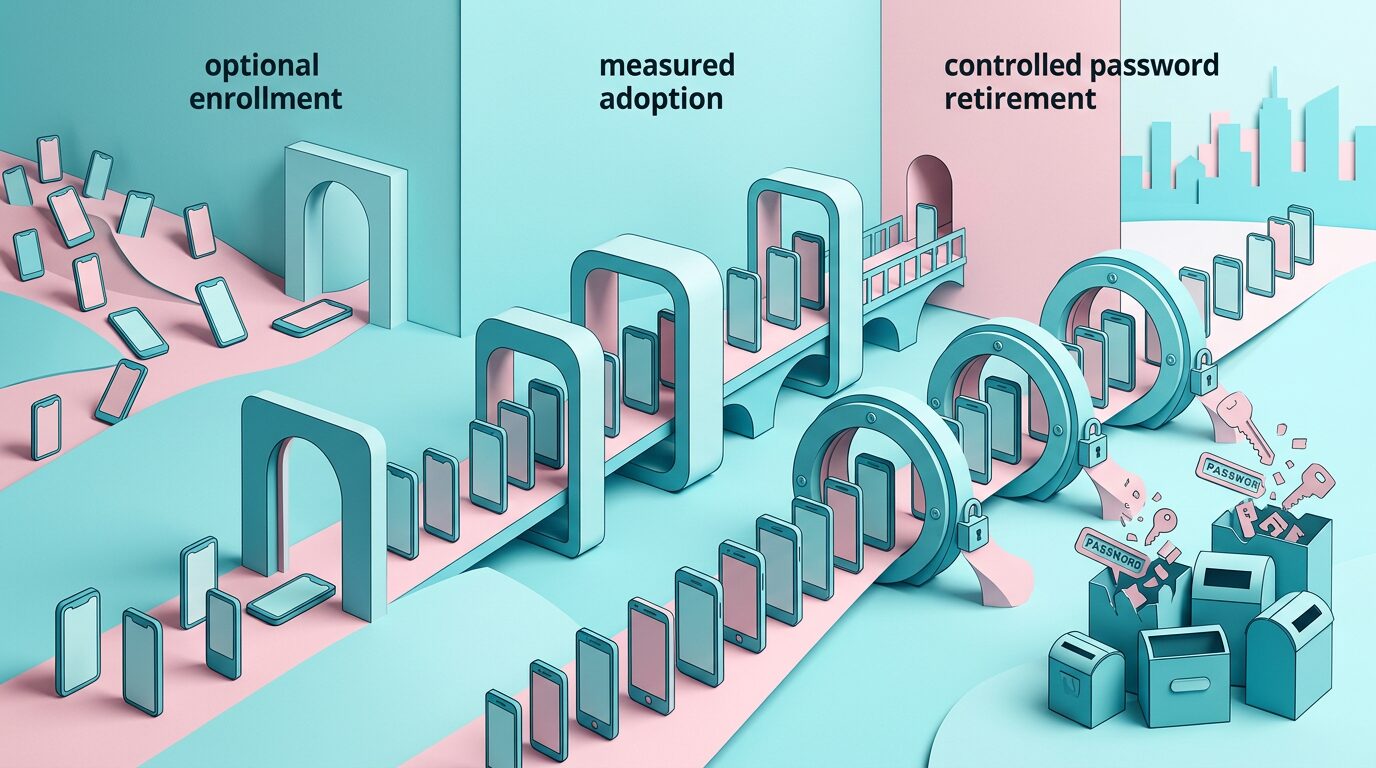
A safe rollout begins with optional enrollment, observes real failure modes, and tightens policy only after recovery and support operations work.
- Offer enrollment after a successful high-confidence login, when account identity is already established.
- Explain that the device will show its normal unlock prompt and that biometrics stay local.
- Start with a small eligible cohort and retain an observable fallback.
- Measure offer, prompt, creation, server verification, next-login use, and recovery events separately.
- Train support staff with a credential inventory and strict recovery authority.
- Run lost-device, compromised-email, SIM-swap, and stolen-session exercises.
Registration count isn’t the success metric. Track successful passkey sign-ins, median completion time, abandonment, fallback frequency, lockout contacts, account-takeover signals, and credential removal. Compare cohorts without claiming causality from an uncontrolled rollout.
Build a ceremony funnel without collecting secrets
Assign a random flow identifier before requesting options. Record server-option issued, native prompt requested, platform result category, server verification result, and session issued. The identifier mustn’t encode user identity and should expire quickly. Keep credential IDs, challenges, client data, attestation objects, and assertion signatures out of analytics systems.
Segment failures by operating-system family, app build, credential provider availability, and entry point. A spike after an app release suggests client integration. A failure isolated to one production domain suggests association configuration. High user cancellation after an unexplained prompt points to product copy rather than cryptography. Categorization lets the team fix the right layer.
Set guardrails before rollout: maximum recovery-contact increase, minimum repeat-use rate, acceptable verification-error rate, and a rollback threshold for sign-in success. Review accessibility separately because completion aggregates can hide a broken screen-reader journey. Publish internal definitions so product and security teams don’t interpret “success” differently.
Don’t remove passwords merely because enrollment increased. First prove that users can authenticate on replacement devices and that recovery doesn’t bypass the protection. Password retirement is the last migration stage.
Threats Passkeys Don’t Solve
Mobile passkeys resist credential phishing, replay of captured signatures, and server-side password database theft. They don’t make an authenticated endpoint or device invulnerable.
Malware can abuse an active session. An attacker can steal session cookies or OAuth tokens. A user can approve a malicious transaction after legitimate authentication. An unlocked stolen phone may expose sessions even if credential use requires another local check. Support agents can be manipulated. Recovery email can be compromised.
Bind sensitive actions to transaction context, require recent user verification, protect sessions, rotate tokens, and detect suspicious credential changes. For high-risk operations, show the exact action the user authorizes. Authentication answers who can unlock a credential; authorization decides what the resulting session may do.
Don’t use passkeys when the relying-party domain is unstable, recovery ownership is undefined, or the app can’t maintain native associations. Fix those foundations first. A rushed ceremony wrapped around a weak account model creates confidence without control.
Frequently Asked Questions
What are mobile passkeys?
Mobile passkeys are discoverable FIDO credentials used by native apps or websites. An authenticator creates a public-private key pair for a relying party. The server stores the public key, while the private key stays protected by the credential provider. Device biometrics, PIN, pattern, or password can authorize local use without sending that unlock secret to the service.
How do mobile passkeys stop phishing?
A passkey signature is scoped to the relying-party identifier and includes a fresh server challenge. A credential created for example.com won’t produce a valid assertion for a lookalike domain. Attackers can’t reuse a captured password because no shared password crosses the network. Phishing-resistant authentication still needs secure recovery and session handling, since attackers may target those paths instead.
Why do passkey implementations cause lockouts?
Lockouts occur when a credential doesn’t sync, a user changes ecosystems, enterprise policy disables synchronization, association files are wrong, or every authenticator is lost. Services worsen the problem when they remove passwords before testing recovery. Treat device replacement as a primary flow, support multiple credentials, show an inventory, and provide recovery whose assurance matches the account’s risk.
When should an app require user verification?
Require user verification when the account or action needs evidence that the authenticator performed its local unlock ceremony. Financial access, administration, credential management, and sensitive profile changes commonly warrant it. Set the requirement in server-generated options and verify the returned flags. Don’t infer user verification from the presence of a biometric sensor or from application UI displayed before the ceremony.
What is the difference between synced and device-bound passkeys?
Synced passkeys can move through a credential provider’s protected synchronization system, improving multi-device use and replacement. Device-bound credentials remain on one authenticator, which gives organizations tighter control but requires planned backups and recovery. The server should interpret backup-related signals within a documented policy rather than assuming synced always means weak or device-bound always means safe.
Is a passkey the same as Face ID or a fingerprint?
No. A passkey is a cryptographic credential for a relying party. Face ID or a fingerprint may unlock it locally, just as a device PIN can. The service receives a signed assertion, not biometric data. Product copy should explain this distinction because biometric-only language can confuse users whose device uses a PIN or whose accessibility needs require another unlock method.
How should passkey account recovery work?
Recovery should combine evidence appropriate to account value, issue a restricted recovery session, notify established channels, rate-limit attempts, and delay critical changes when needed. Another registered passkey or authenticated device is preferable. Email or support recovery may remain necessary, but it shouldn’t instantly remove all credentials and grant unrestricted access if that would undermine the account’s promised assurance.
Can passkeys work in both a mobile app and website?
Yes. Native applications associate themselves with the same relying-party domain through Apple associated domains or Android Digital Asset Links. The backend can use one WebAuthn credential store and challenge-verification policy. Exact origins still matter for web clients, while native association configuration proves the app’s relationship to the domain. Test production signing identities and hostnames before release.
Is passkey authentication worth building now?
Yes for services that can own recovery, credential management, native association, and rollout measurement. Platform support and user familiarity are broad enough for serious deployment. Passkeys aren’t a small login-button change, though. Teams unable to secure fallback or support new-device journeys should first repair those account foundations, then add passkeys incrementally instead of making premature passwordless claims.
Should passwords be removed immediately after enrollment?
No. Keep a measured coexistence period until repeat authentication, device replacement, cross-platform use, and recovery perform reliably. Then segment policy by account risk and credential coverage. Removing passwords can reduce phishing exposure, but doing it before users have another usable authenticator creates lockouts. Retirement should follow operational evidence, not a registration milestone or vendor feature toggle.
Ship the Recovery Model With the Credential
Mobile passkeys deliver their strongest value when the surrounding account system preserves the same security claim. Origin-bound signatures close the phishing route, but weak recovery, opaque credential state, and untested device migration can reopen it.
- Model every route to a session and apply the recovery-equivalence rule.
- Verify WebAuthn challenges, origins, RP identity, signatures, and flags on the server.
- Store a credential inventory rather than a passkey boolean.
- Test synced, unsynced, cross-ecosystem, managed, and all-devices-lost journeys.
- Measure fallbacks and lockouts before retiring passwords.
Start with one cohort and one complete journey. Register a credential, authenticate twice, replace the device, revoke the old credential, and recover after simulated total loss. Make support execute the same drill.
The implementation is ready when losing a phone is a designed state transition rather than an emergency ticket. At that point, mobile passkeys aren’t just cryptographically sound. They’re operable.